Product
Everything Arden does today.
Ten surfaces. Every item in the index ships in production today. The roadmap section at the bottom is clearly labeled — no bait-and-switch.
No credit card required. Cancel any time.
- 01 Budget
- 02 Inbox
- 03 Net worth
- 04 Goals
- 05 Investments
- 06 Cash flow
- 07 Schedule
- 08 Monthly review
- 09 Import
- 10 Roadmap
01·Envelope budgeting
Every dollar gets a job.
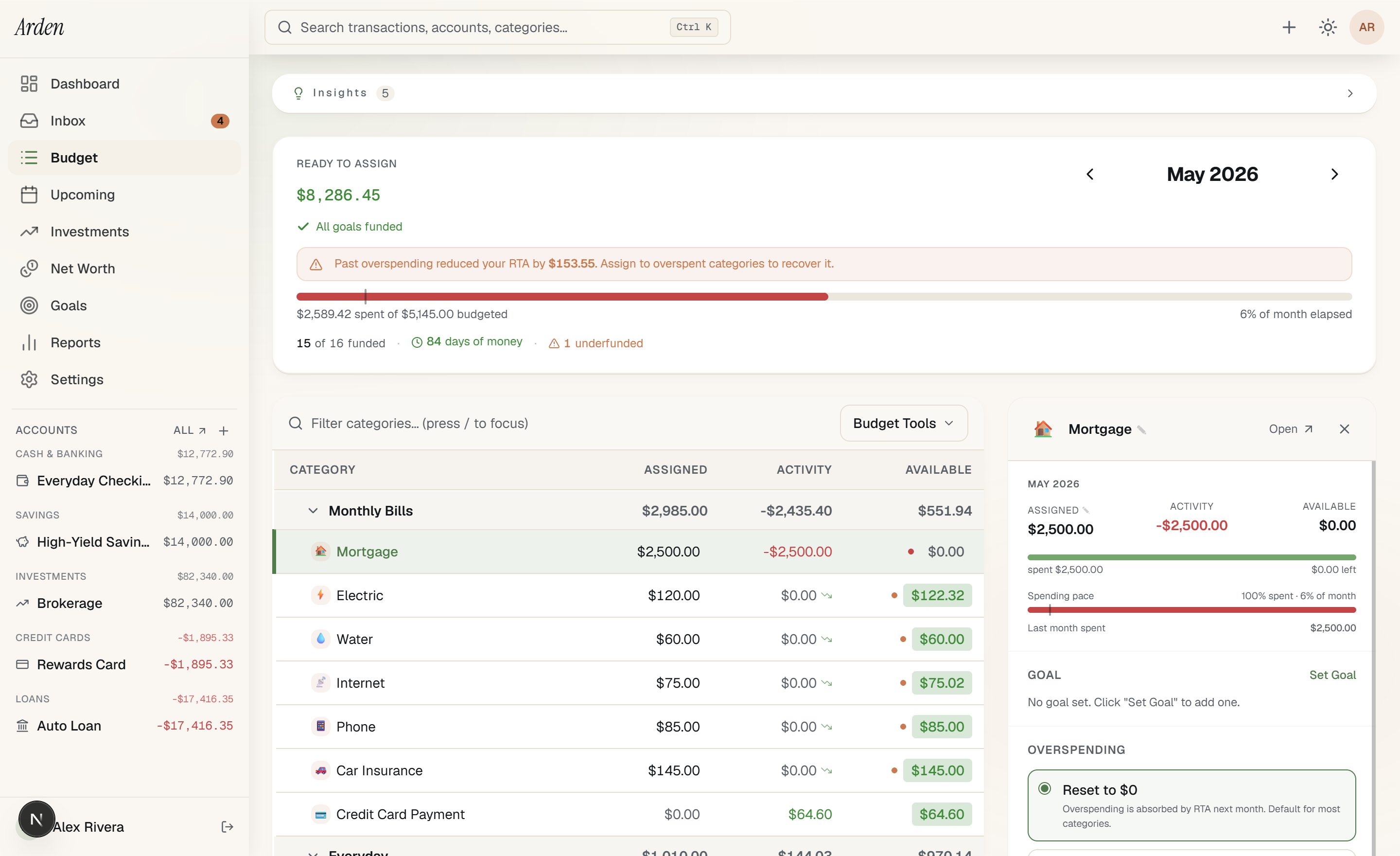
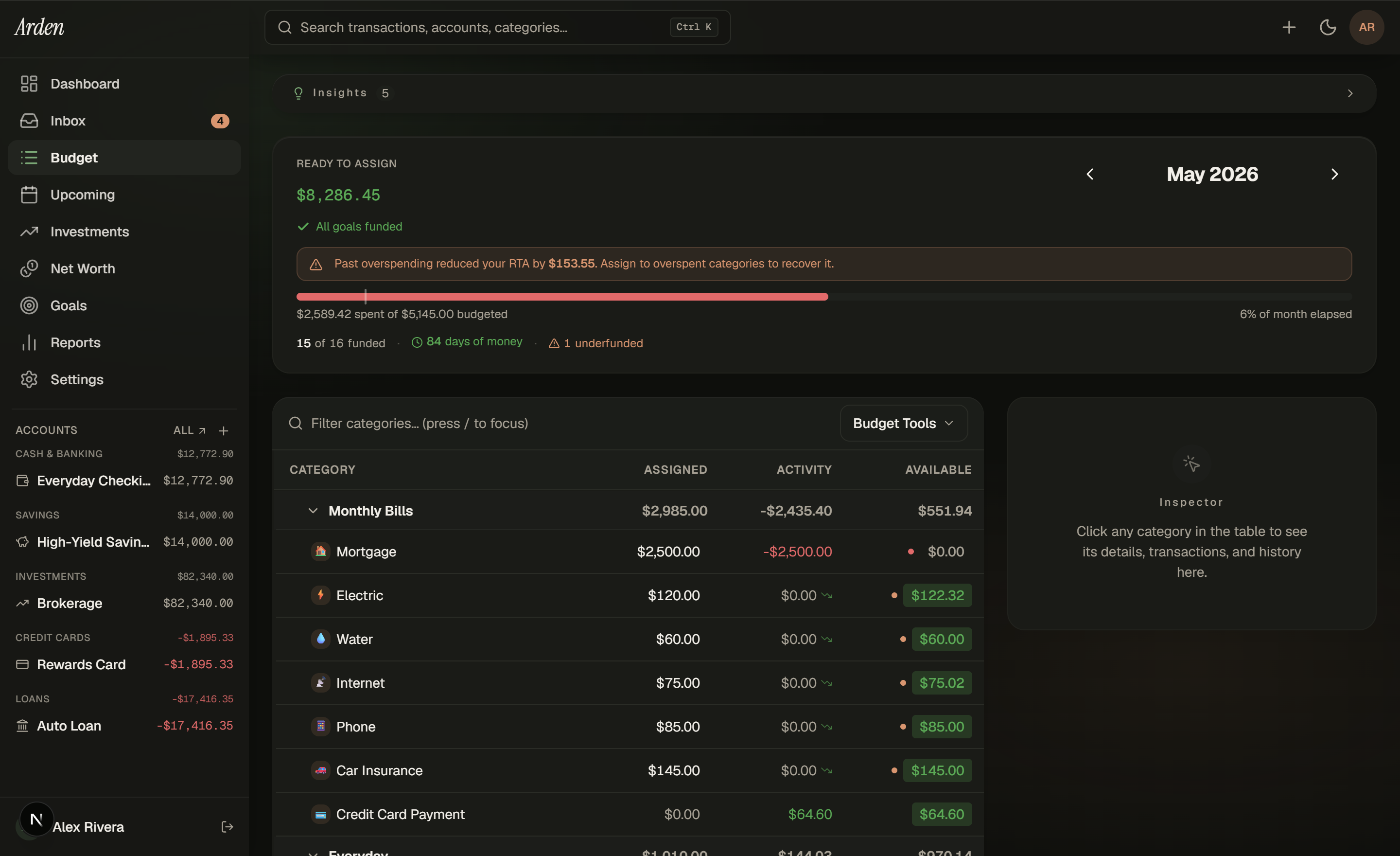
Arden uses the YNAB-style envelope method. Income arrives, you assign each dollar to a category, and the app refuses to let you spend a dollar that has no home. Ready to Assignis one number at the top of the page that tells you whether you're done planning the month.
- Three goal types per category — monthly funding, target balance, target by date.
- Spending pace indicators — knows whether groceries is on track or running hot.
- Split transactions — one Costco run, three categories.
- Age of Money — the YNAB metric that catches paycheck-to-paycheck slips.
The envelope math runs on transactions from Plaid sync (Plus plan) or CSV upload — same logic, no privileged path.
02·Smart triage inbox
Triage that knows when to be quiet.
Smart Review v2 splits incoming transactions into three lanes by confidence. Auto-pilot stays silent — high-confidence rule matches and scheduled hits categorize and clear without surfacing. Confirm passes through one tap. Decide is the only lane that asks for your judgment.
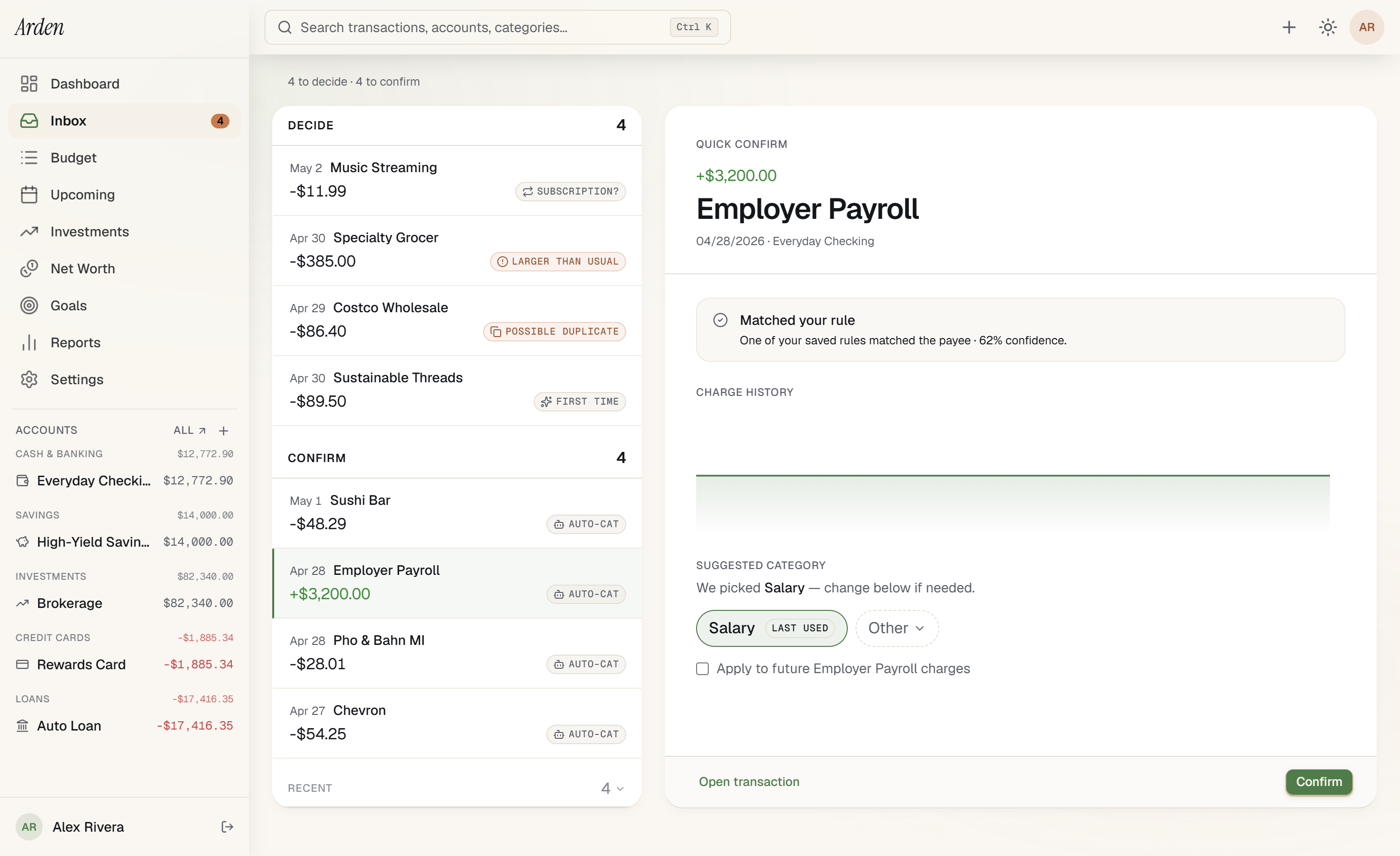
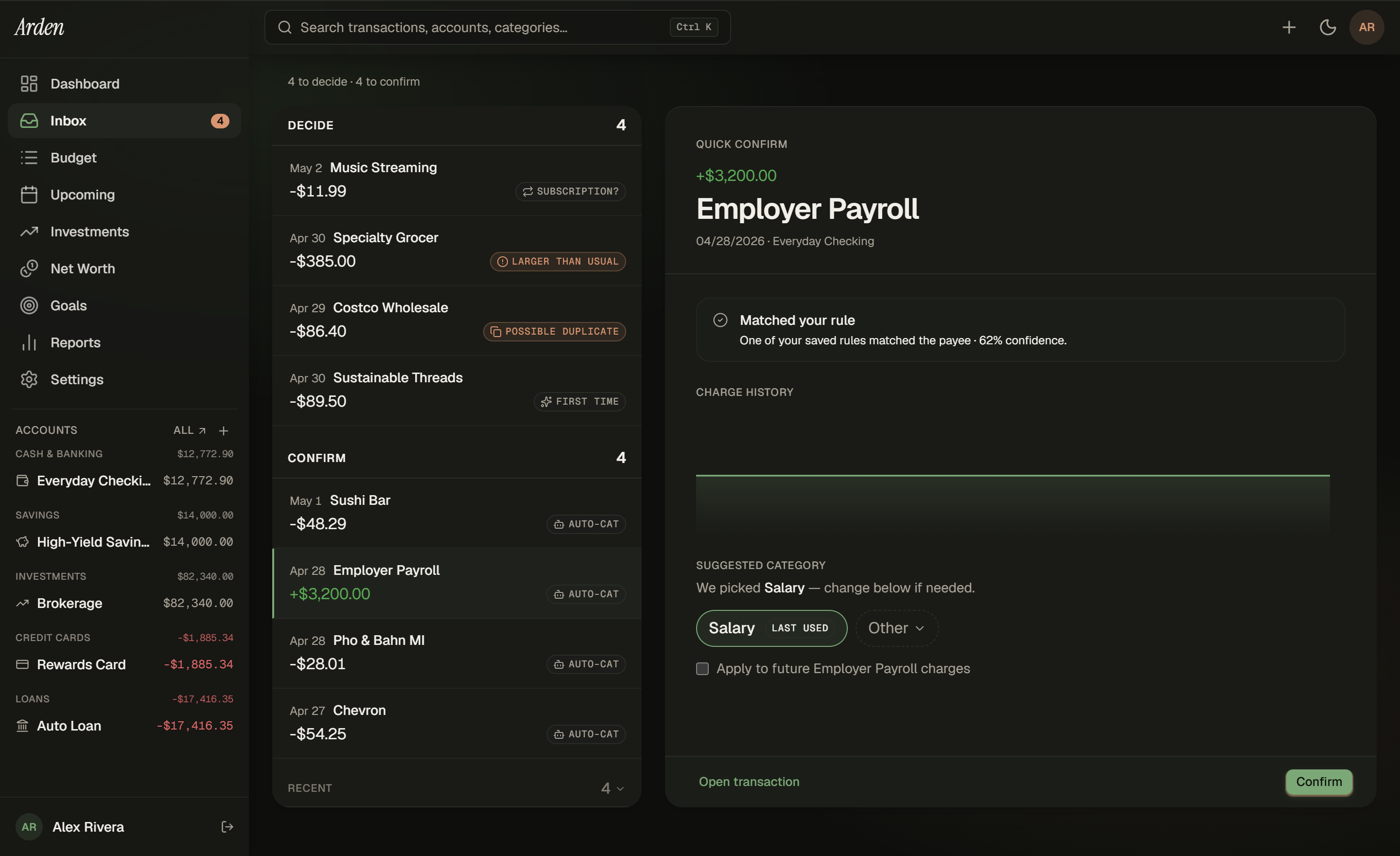
- Auto-pilot lane is silent — high-confidence rule + scheduled match → categorized, never surfaced.
- Confirm lane is one tap — auto-categorized rows under threshold; you confirm, the rule learns.
- Decide lane is active prompts — first-time payees, subscription candidates, anomalies, duplicates.
- Rules learn as you confirm — every confirm bumps the rule confidence; reaches auto-pilot after 3 hits.
LLM categorization runs server-side on cleaned merchant strings — never raw bank credentials. CSV import gets the same triage as Plaid sync.
“The thing nobody tells you is that 'auto-categorize' from a finance app is a rounding error. The thing that matters is what happens when it gets one wrong.”
Tyler — building Arden
03·Net worth
Every account, every line on the chart.
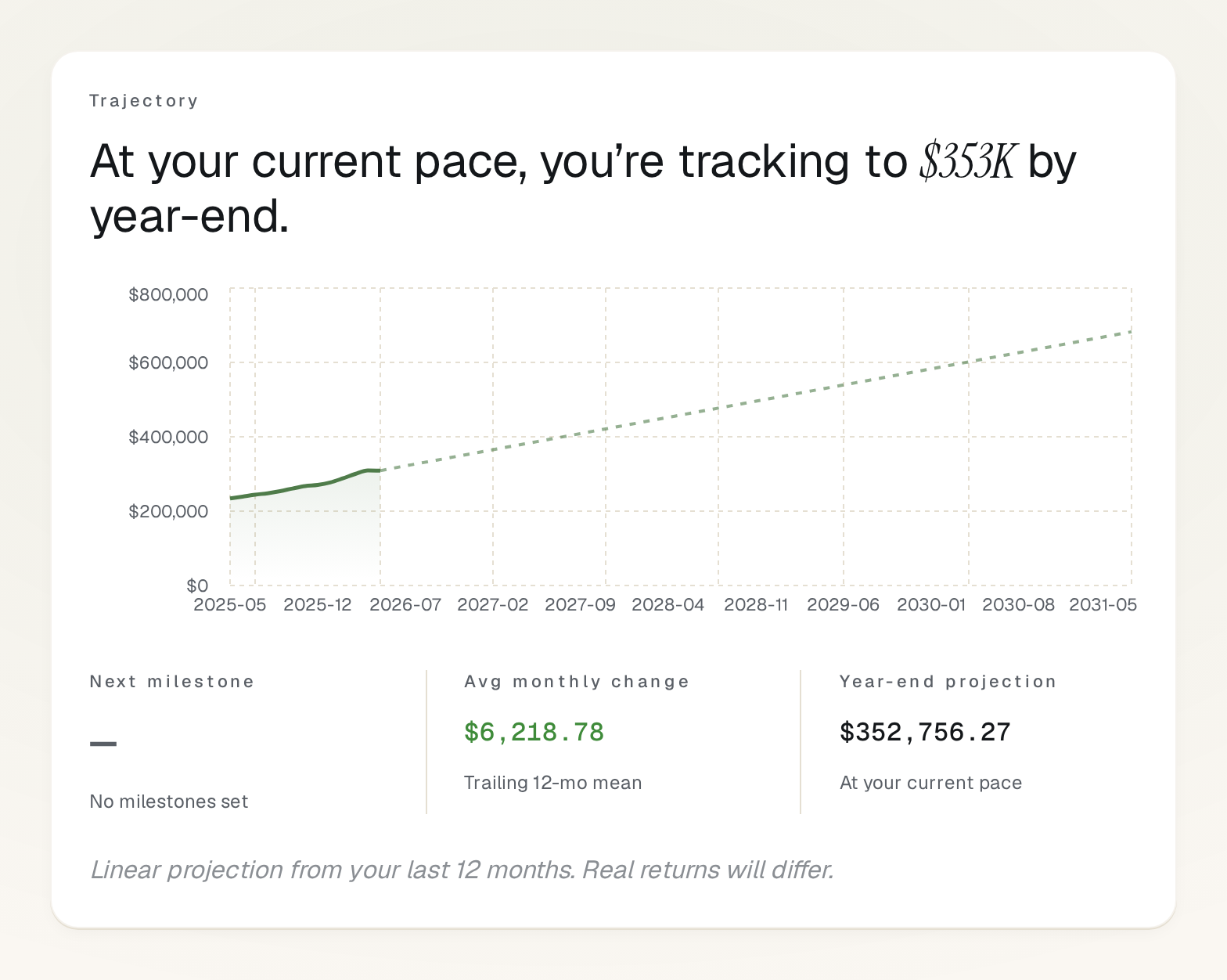
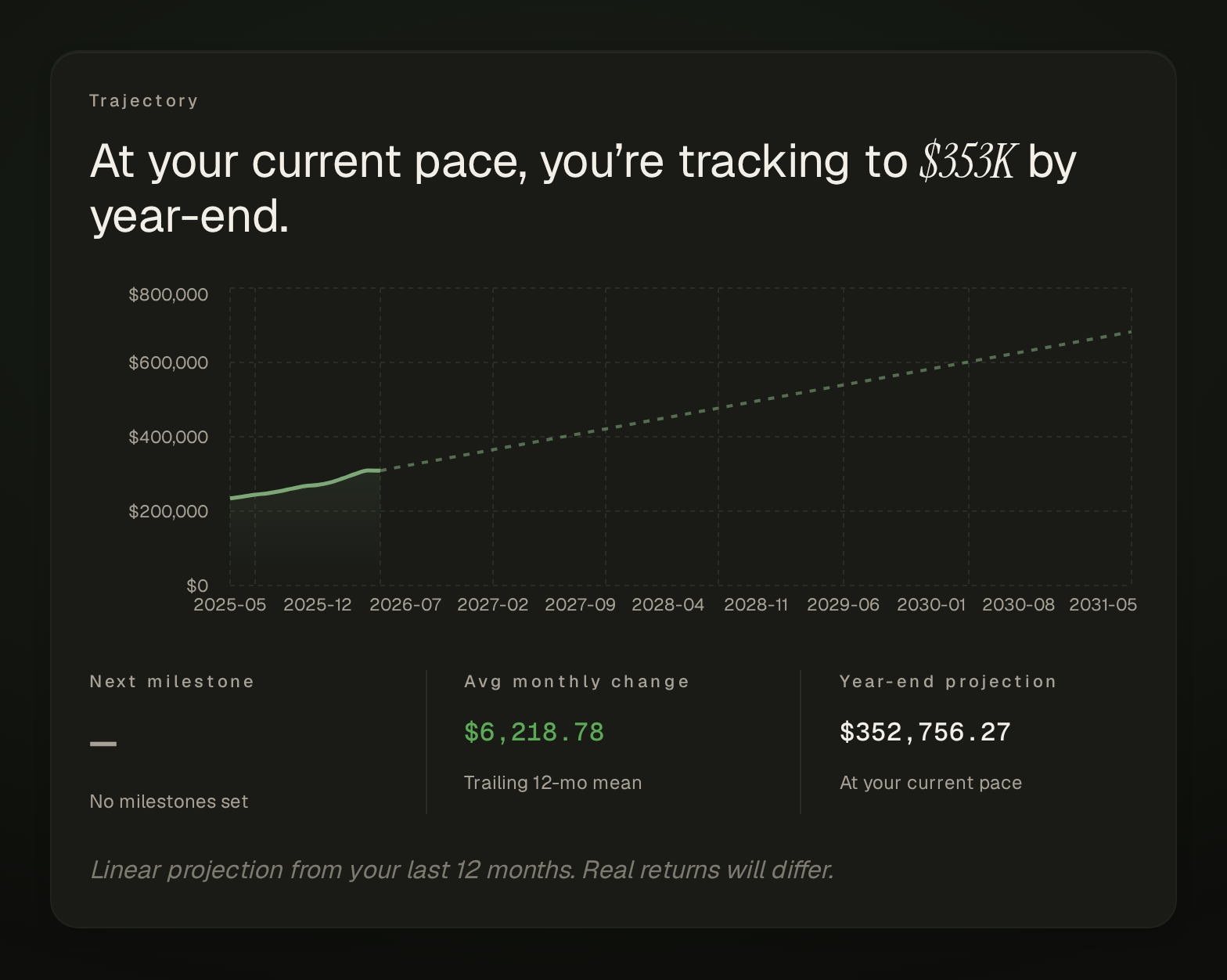
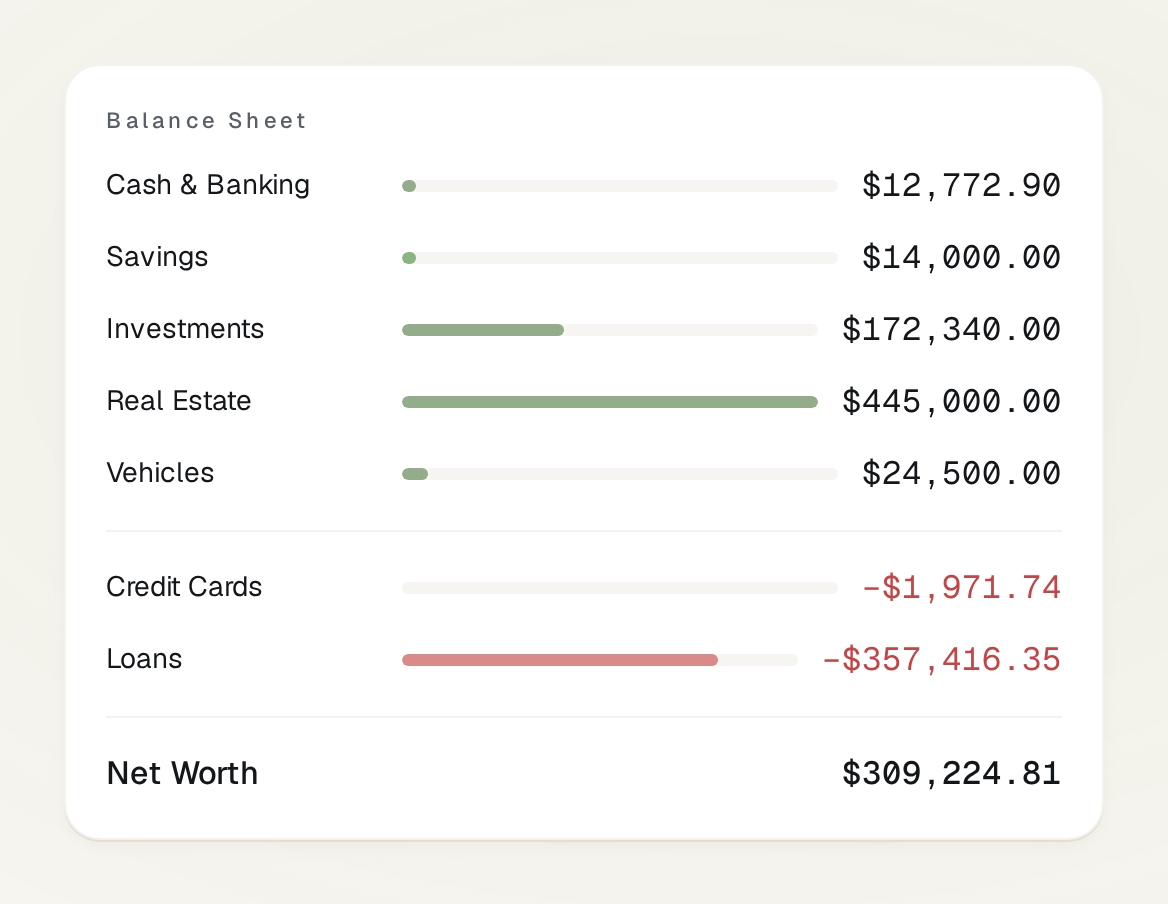
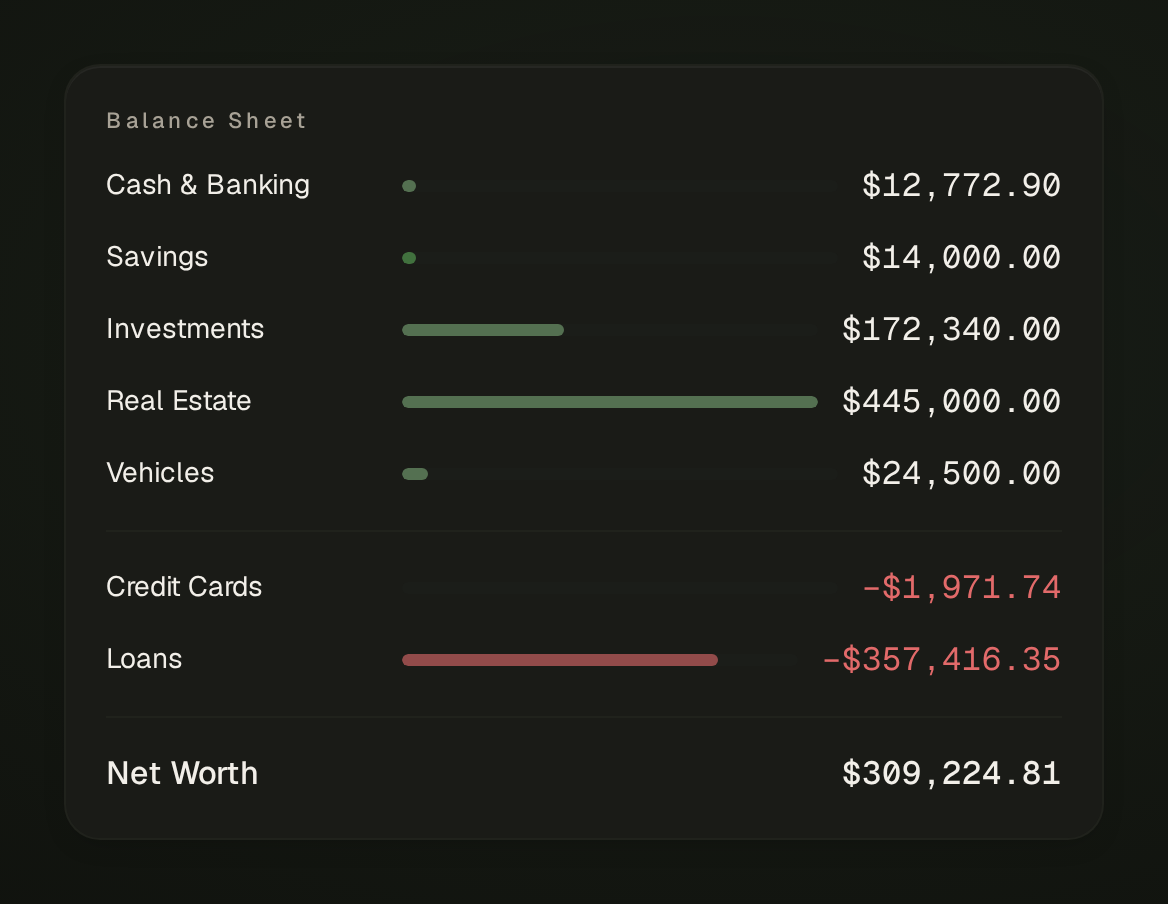
One chart, one number. Stack contributions transparently underneath so you can see why the line moved. 19 asset classes from checking to crypto to vehicles, with depreciation and amortization handled automatically.
- 19 asset classes — checking, brokerage, retirement, real estate, vehicles, loans, more.
- Auto-depreciating vehicles — by purchase date and mileage, no manual entry.
- Amortization schedules — every loan shows its payoff curve.
- Milestones that auto-mark — set a goal, Arden marks the day you crossed it.
Manual snapshots and Plaid-synced balances render on the same chart with the same math — Privacy plan users get the full picture without bank linking.
04·Savings goals
Set a target. Watch the line earn it.
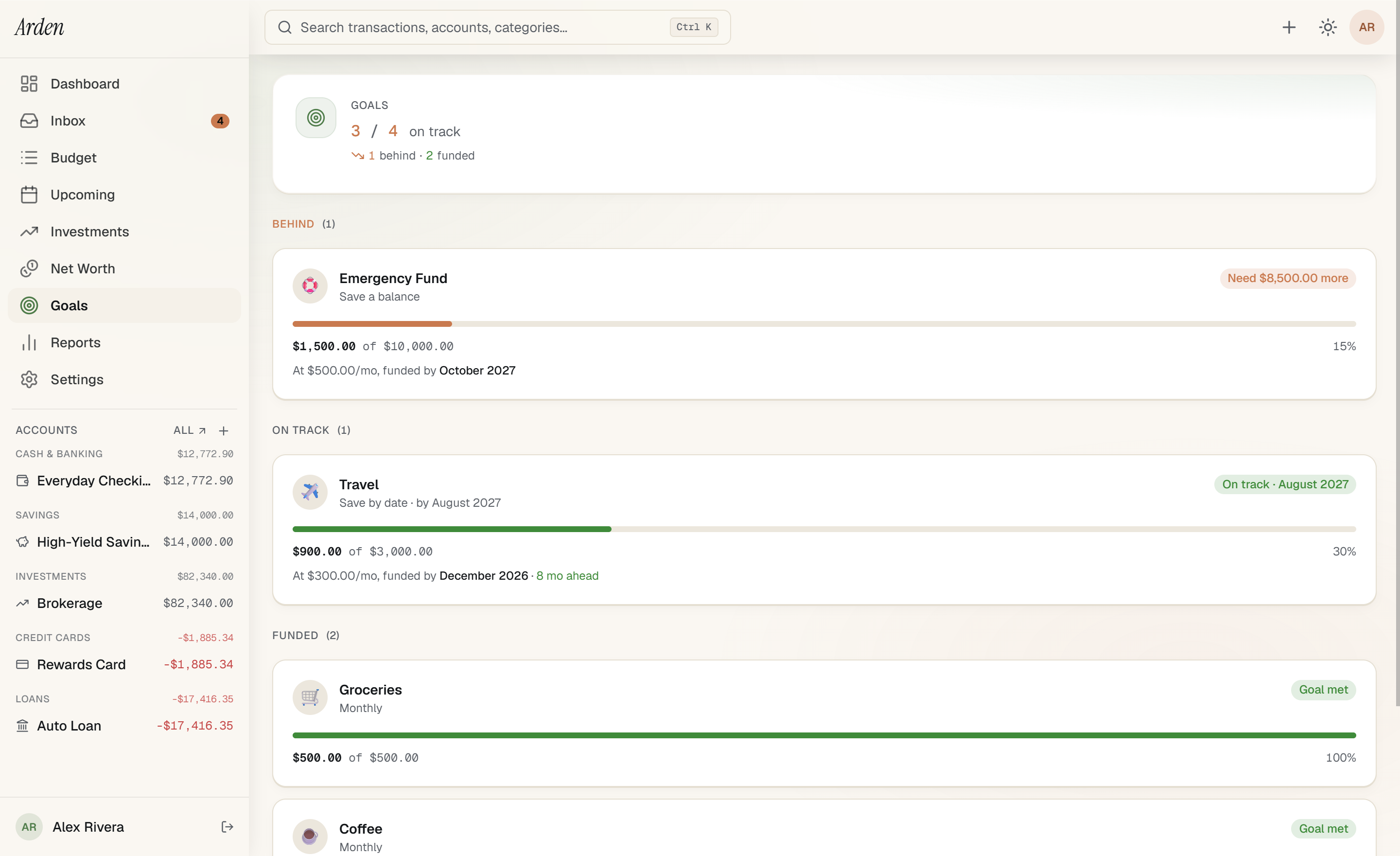
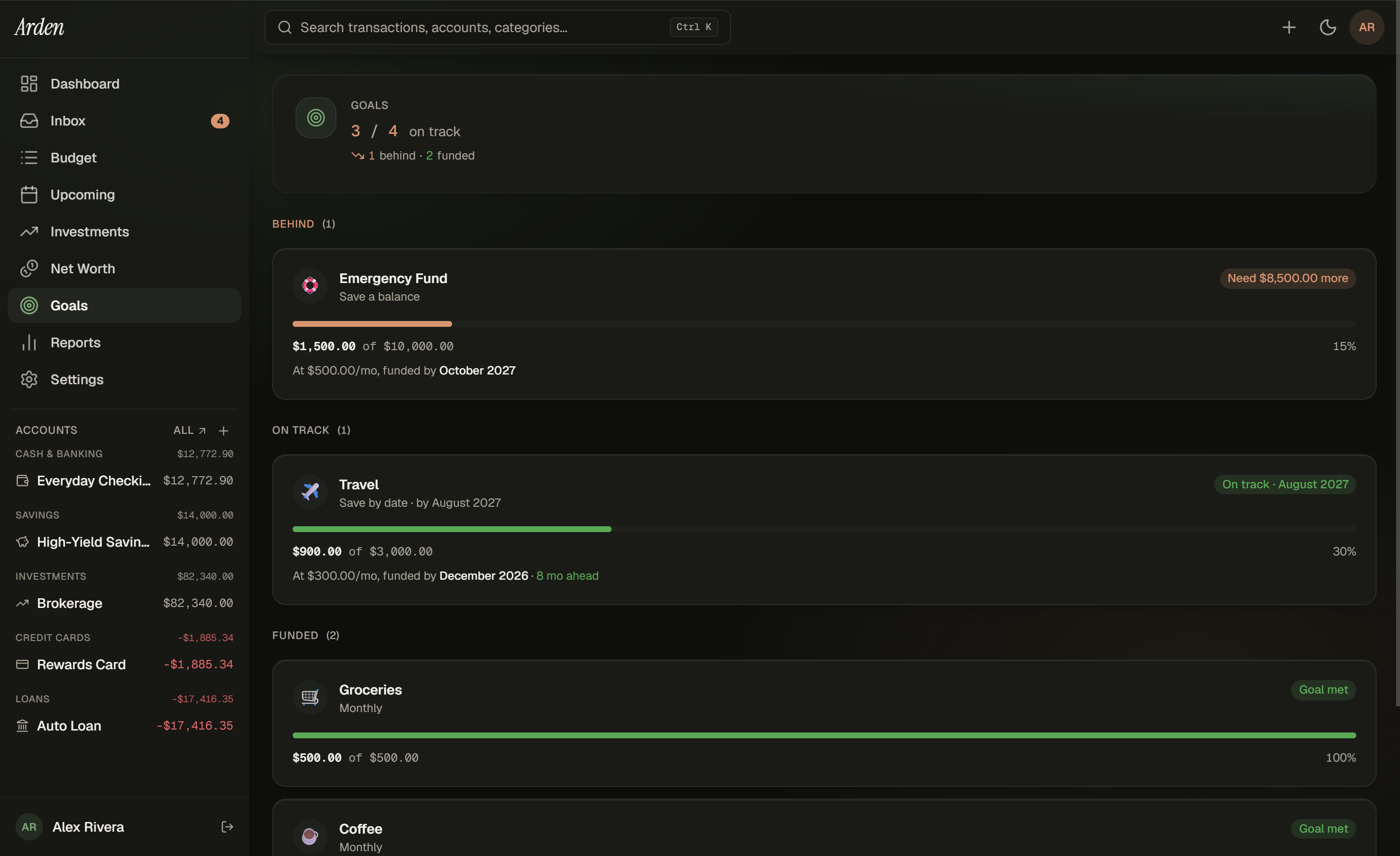
Each goal is an envelope category with a target — monthly funding, target balance, or target by date. Arden projects when you'll hit it based on your funding rate, draws the line, and marks the milestone the day you cross it.
- Three goal types per category — monthly funding, target balance, target by date.
- Projection lines — current funding rate × the math = honest ETA.
- Auto-funded from category — money flows from envelope to goal as you assign.
- Milestones celebrate when crossed — serif italic moment at the threshold.
Goals are envelope categories with a target. Manual snapshots track progress the same way Plaid-synced balances would — same math, same projections.
05·Investments
Holdings, live prices, brokerage-grade math.
Every position across every brokerage in one ledger. Tickers auto-refresh from Finnhub at render time — your manual price stays the source of truth, the live price overrides on display. Share-precision math means no penny-rounding lies in your reports.
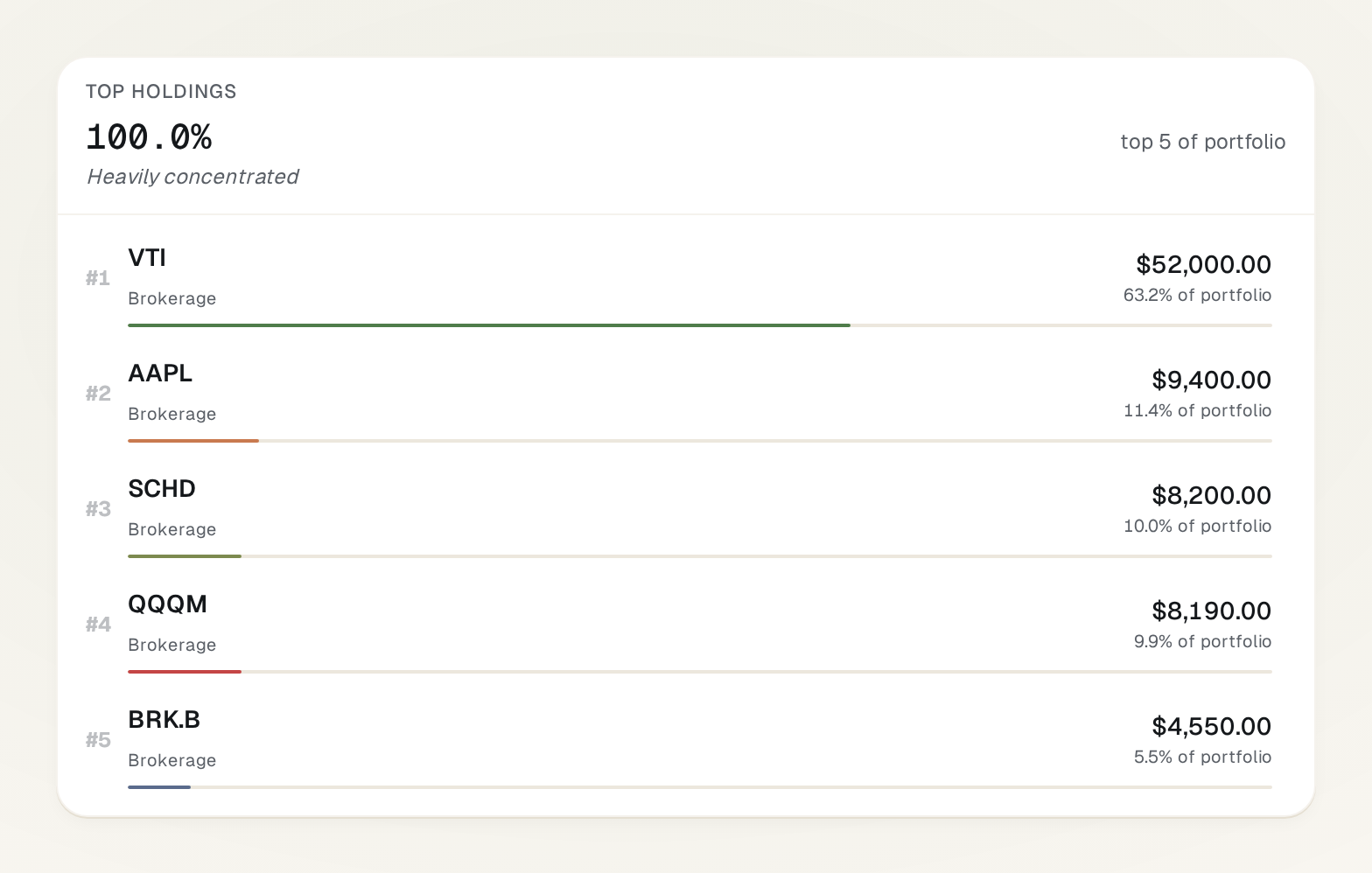
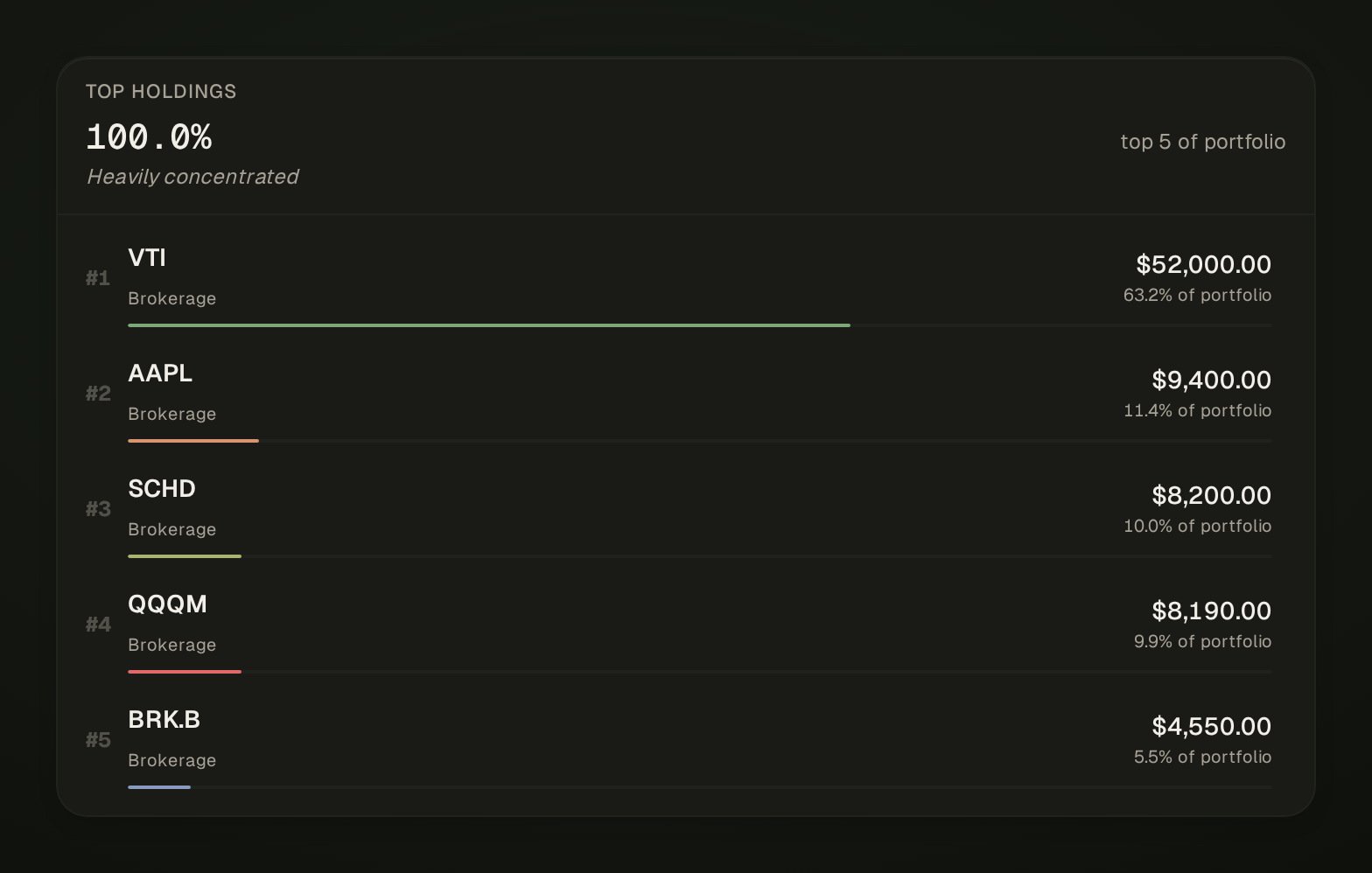
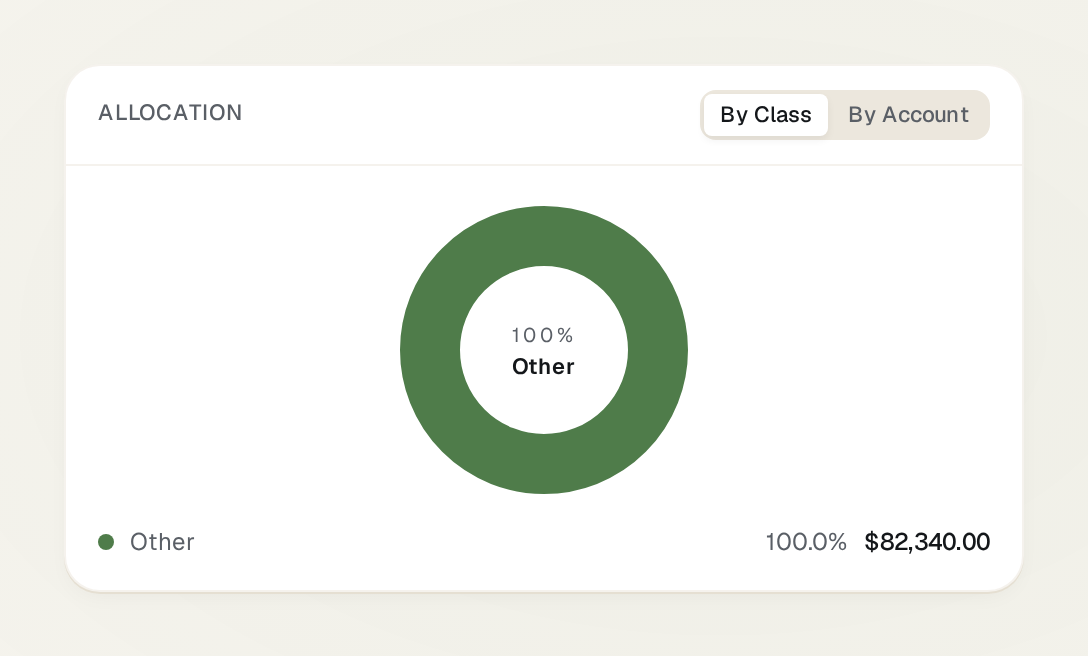
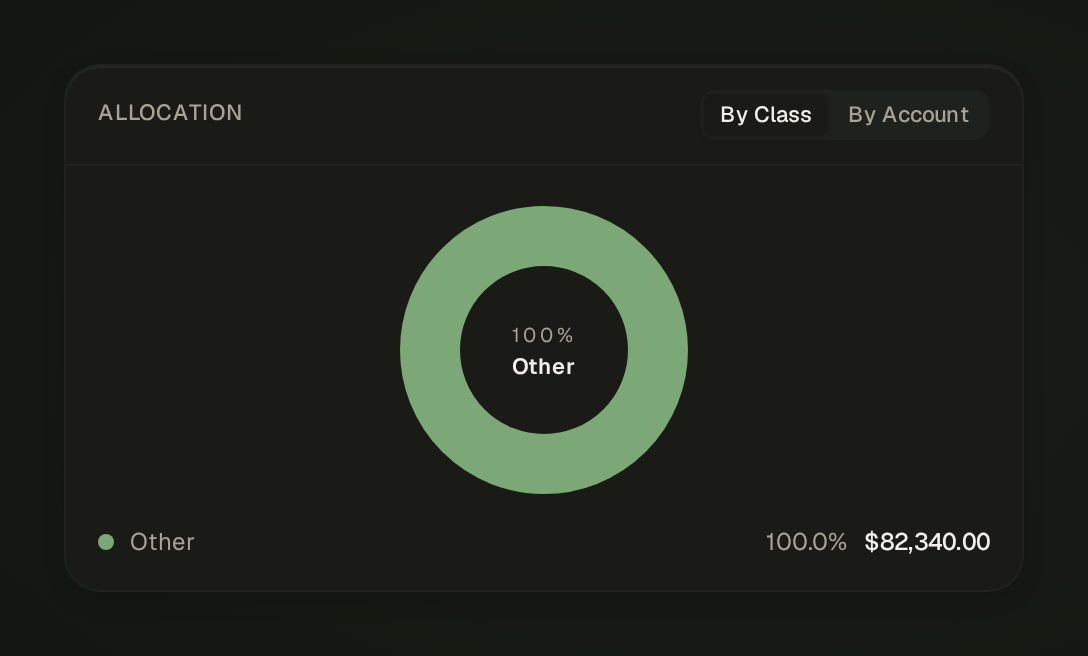
- Holdings dashboard — sortable by gain, weight, cost basis.
- Buys, sells, dividends, fees — one ledger, share-precision math.
- Brokerage CSV import — Schwab, Fidelity, Vanguard, E*TRADE, Robinhood.
- Plaid investment sync (Plus plan) — auto-refreshing holdings + prices, no manual import.
- Duplicate detection — checks date overlap before importing.
Holdings come from brokerage CSV exports on the Privacy plan, or Plaid investment sync on Plus — both flow into the same ledger with share-precision math.
06·Cash flow + reports
Where your money came from. Where it went.
One Sankey diagram resolves the question every other money app dodges: out of every dollar you earned this month, exactly how much went to rent, groceries, savings, the rest. Plus recurring vs one-off split, top categories, year-over-year charts.
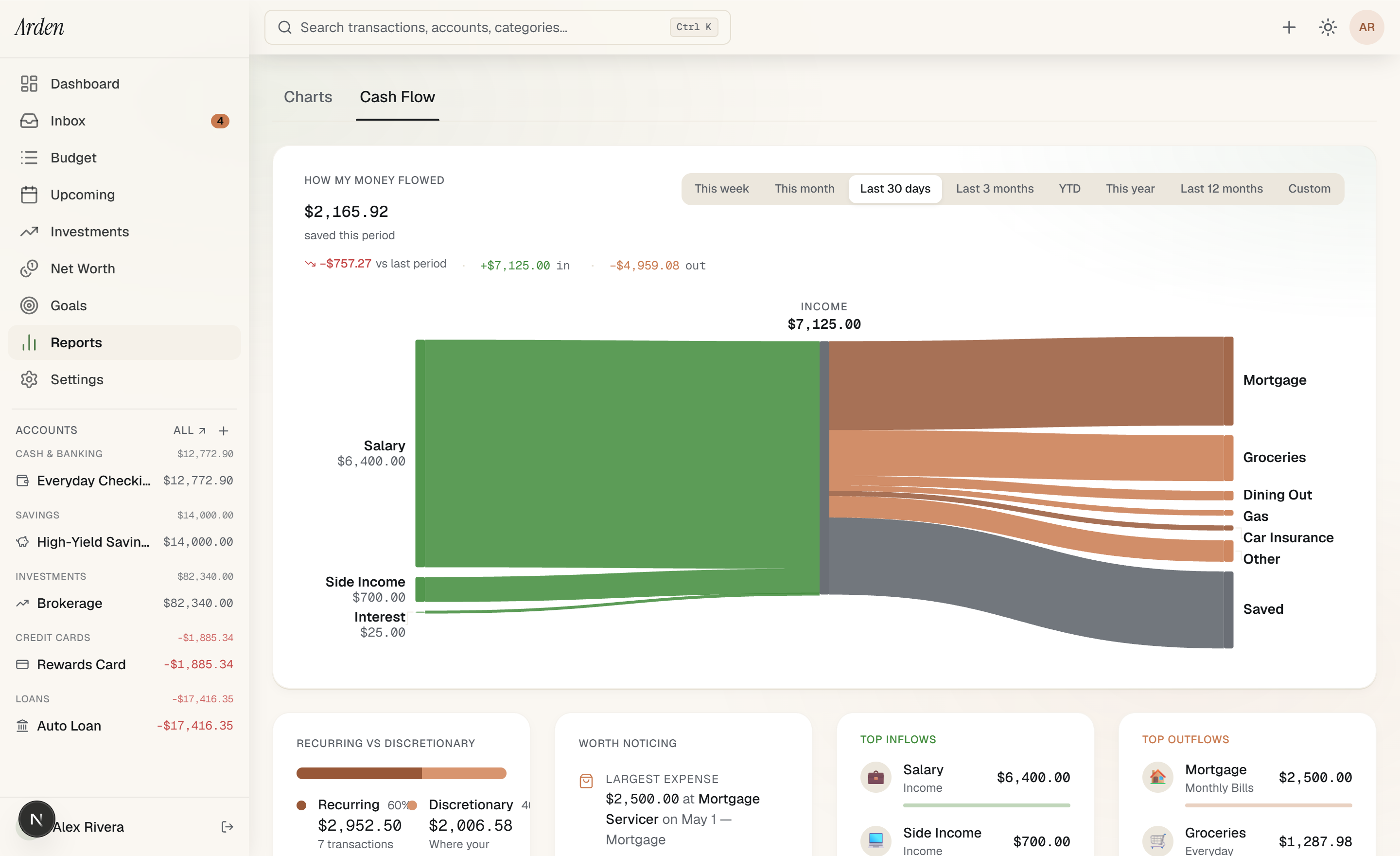
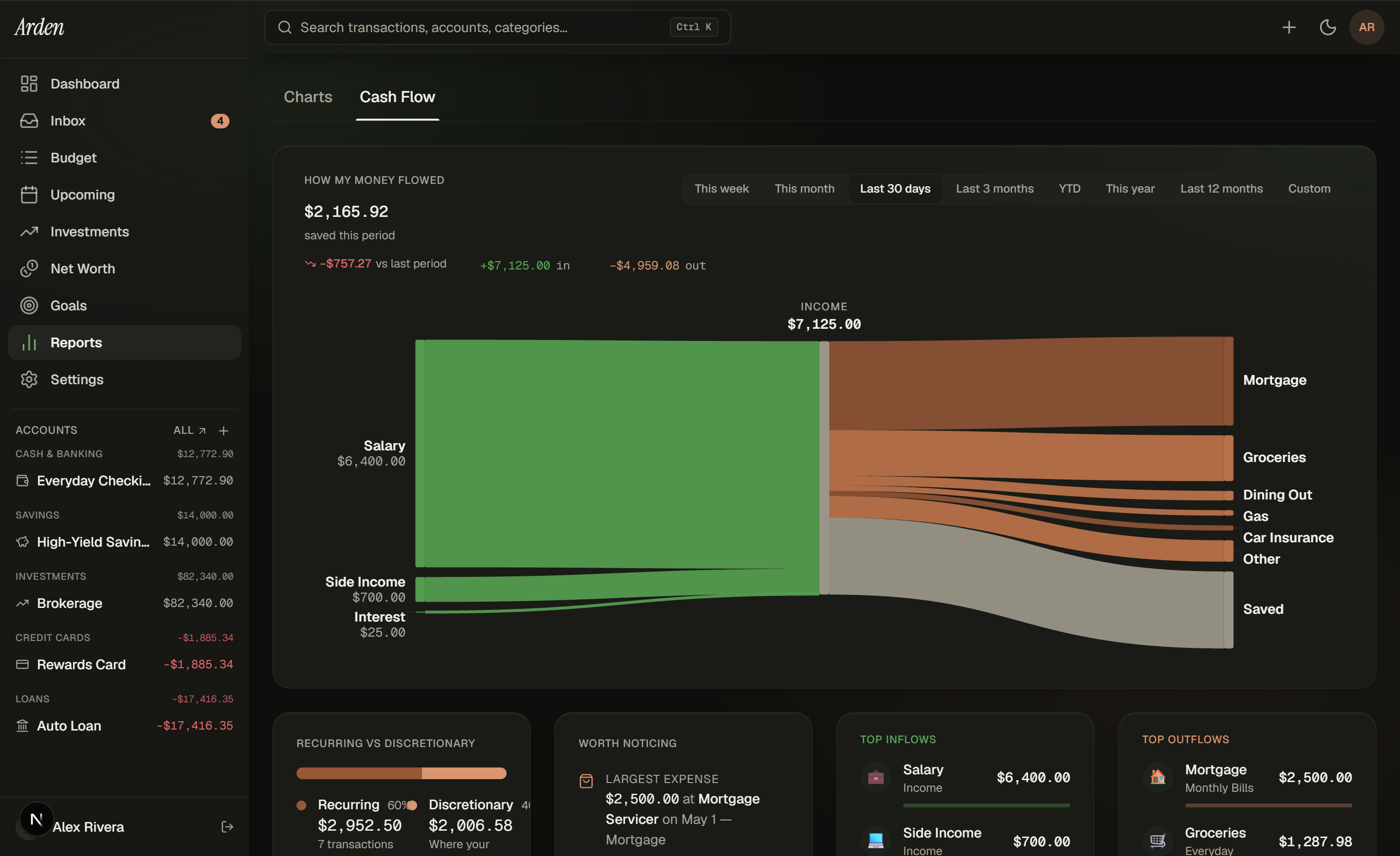
- Sankey diagram — income → categories → expenses, every dollar visible.
- Recurring vs one-off — know what is fixed vs what is choice.
- Top-categories panel — where your money concentrates this period.
- YoY overlay — this month vs the same month last year on a single chart.
- Period picker — this month, last month, year-to-date, custom range.
Reads from your transaction history regardless of source — CSV import feeds the Sankey the same way Plaid sync does.
19
asset classes tracked in net worth.
Checking, savings, brokerage, retirement, vehicle, primary home, rental, collectible, crypto, business interest, and nine more — each with class-specific metadata so the dashboard can answer real questions.
07·Schedule + accounts
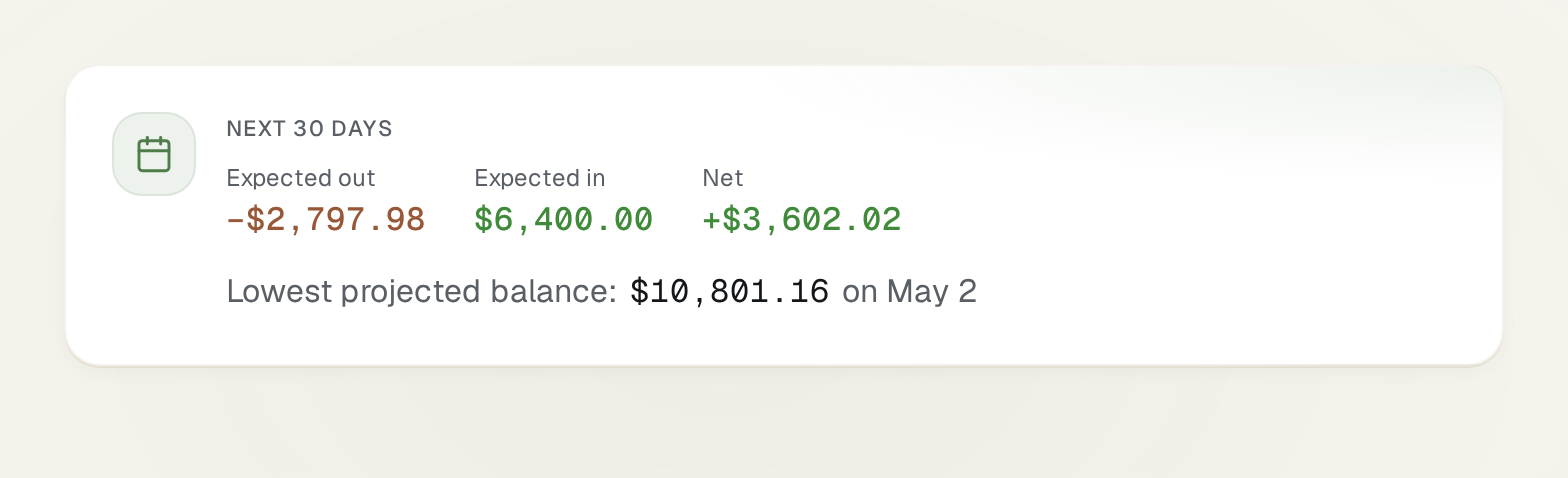
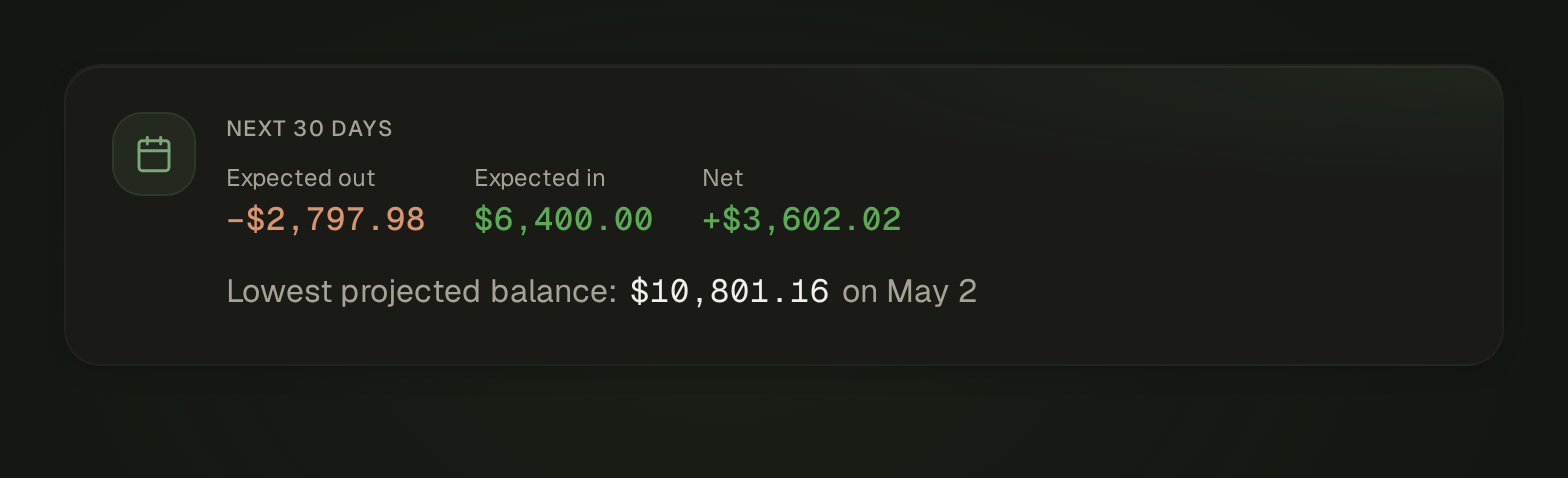
See the next 30 days before they happen.
Rent on the 1st. Netflix on the 17th. Salary on the 30th. Arden holds the calendar of every recurring transaction and shows you how each balance will look on each date — without you having to run the math in your head.
- Per-account register — inline split, transfer, and edit.
- Inline payee transfers — type the destination account in the payee field.
- Calendar + forecast — two modes, one data set.
- Closed-account archive — keeps history without cluttering the list.
Schedules live in your account; the calendar reads from them. No third-party recurring-bill detection service in the picture.
08·Monthly review
Last month, in one quiet read.
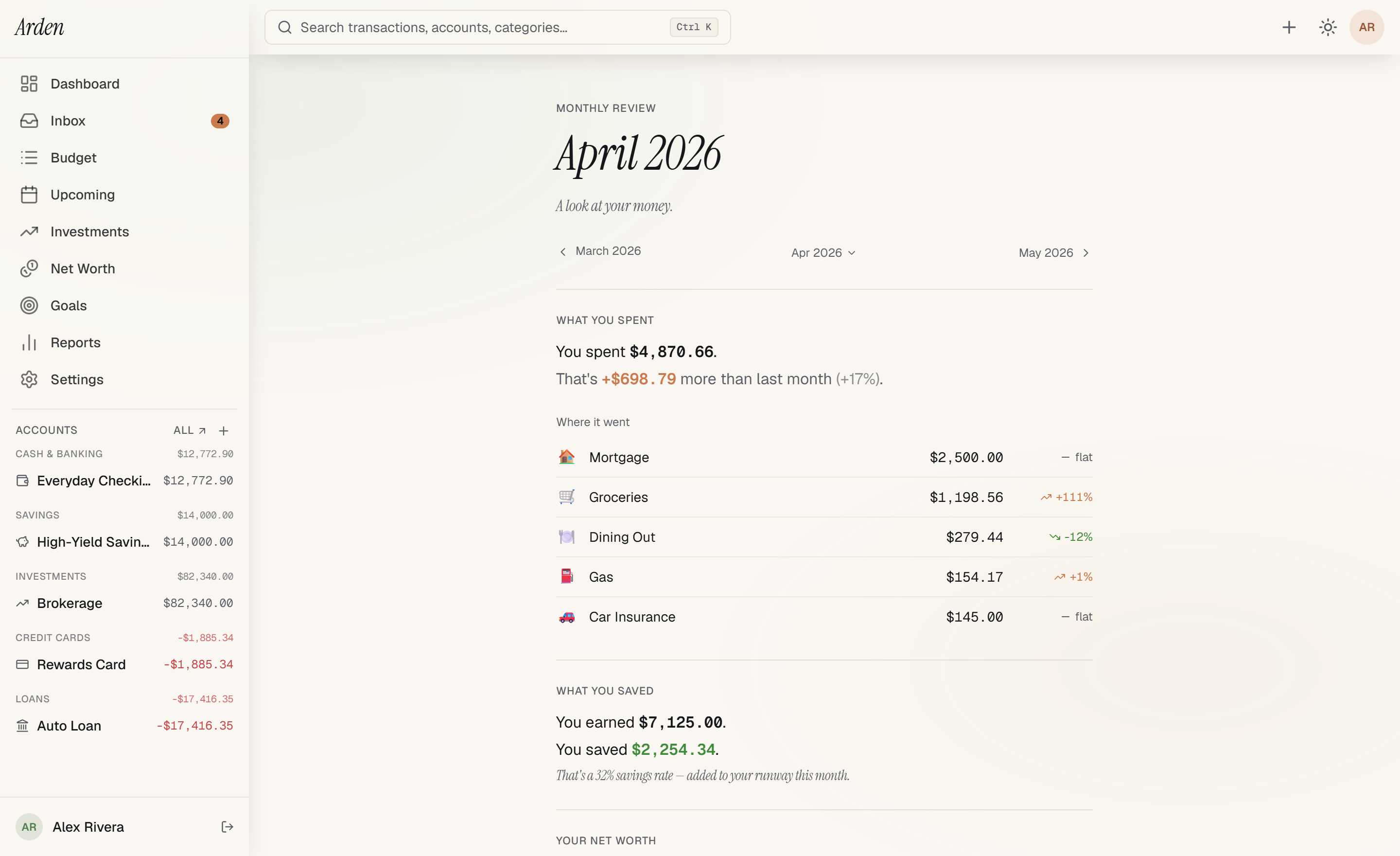
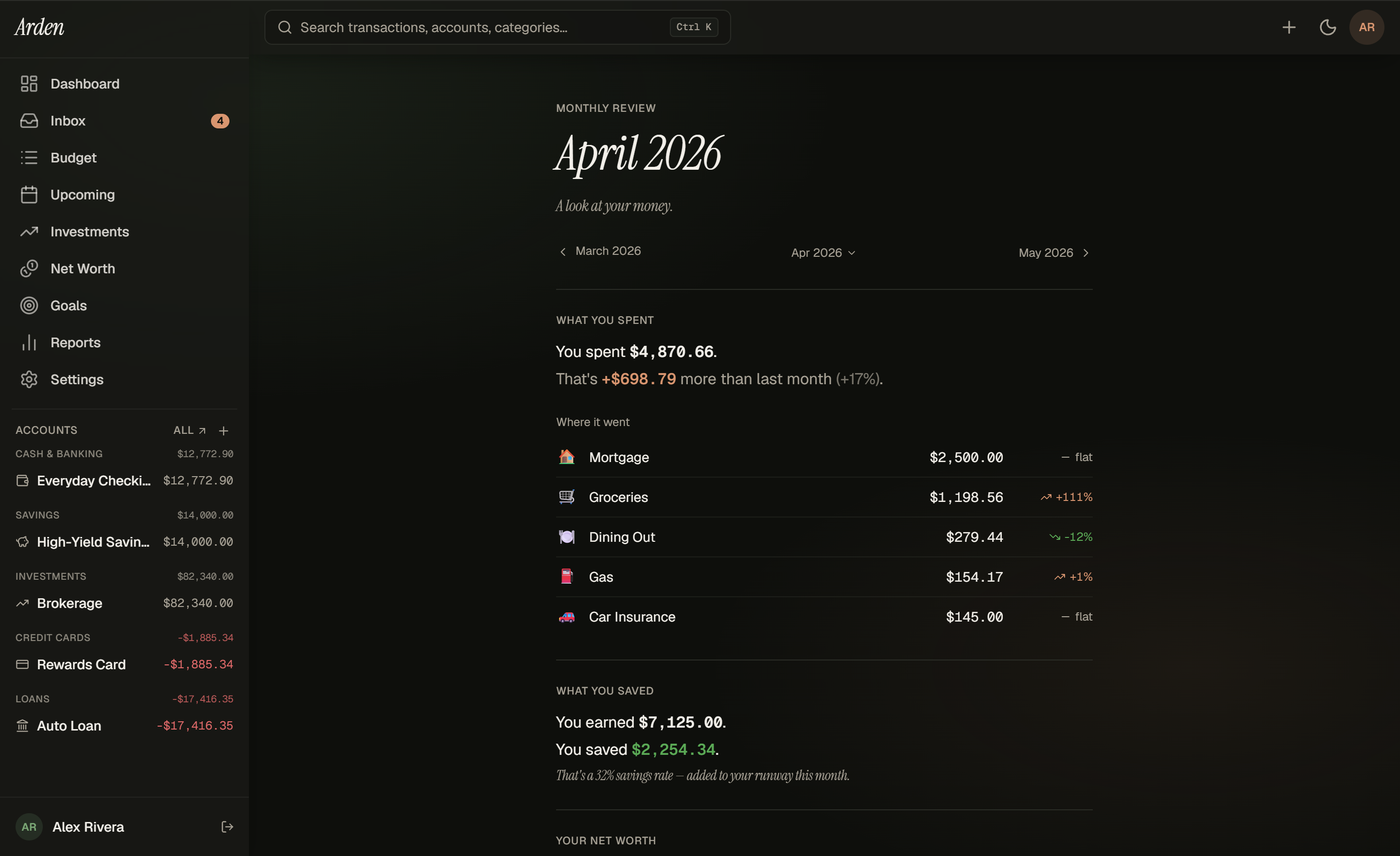
On the 1st of every month, Arden generates a permalink for the month that just closed and emails you the link. Editorial single-column scroll — savings rate, top movers, milestones hit, what funded, what didn't. Read it once with coffee.
- Editorial single-column scroll — paced narrative, not a dashboard.
- Savings rate, top movers, milestones — the numbers that mattered, named in plain English.
- Goal progress per category — what funded, what didn’t, what to fix next month.
- Emailed the 1st — read it on your phone with your morning coffee.
Generated entirely from your account history — no external services touch the content. The cron renders the page and ships HTML straight to your inbox.
09·Imports + export
Your data comes in easy. Your data goes out easier.
What comes in
- CSV — every US bank tested
- XLSX — Excel and Google Sheets
- OFX — Quicken legacy format
- QFX — bank-issued financial exchange
- Brokerage statements — Schwab, Fidelity, Vanguard, E*TRADE, Robinhood
- Plaid auto-sync (Plus plan) — banks, credit cards, brokerages
What goes out
- CSV — every transaction, formatted
- JSON — full structured export, including budgets and goals
- Per-account CSV — single-account exports for accountant handoff
- Per-month JSON — point-in-time snapshots
The day you cancel, your data stays yours.
Full CSV and JSON export sit in Settings on every tier — including the day after you cancel. Every transaction, budget, category, account, and holding. The export covers everything Arden has ever known about your money. No 'we'll send you a partial export within 30 days' subset.
Pick a format
CSV
One file per table
JSON
Full schema, machine-readable
What's included
- Every transaction
- Every budget month
- Every goal + projection
- Every account + holding
- Every category rule
~14 KB · 1.2s
How it stacks up
Compared to the apps you've already tried.
Honest where competitors lead, clear where Arden does. Each cell is verifiable from the linked product's own marketing pages.
| Capability | Arden | YNAB | Monarch | Empower |
|---|---|---|---|---|
| Works without a bank login | ||||
| Envelope budgeting | ||||
| Net worth — manual + synced | ||||
| Investment holdings tracking | ||||
| Share-precision investment math | — | |||
| Smart triage inbox (auto + confirm + decide) | ||||
| Full data export — CSV + JSON | ||||
| Data export still works after cancel | — | |||
| No ads, no data resale | ||||
| Monthly review email |
Verified May 2026 against each app's public marketing and documentation. Yes = capability ships today. Partial = subset of the capability ships, or a paid add-on covers it. No = capability is not offered.
Real questions
The questions you'd ask before signing up.
Can I really use Arden without connecting my bank?
Yes. The Privacy plan is the no-Plaid plan — every feature works with manual entry and CSV import: envelope budgeting, net worth across 19 asset classes, investment holdings, scheduled transactions, the monthly review, and the full reports. Plus is the same app with Plaid bank sync added as an option, never a gate.
What happens to my data if I cancel?
Your data stays. You can log in to download a CSV or JSON export of everything any time — even months after canceling. If you come back later, your data is waiting. There is no data hostage.
How is this different from Mint, Monarch, or Empower?
Mint shut down. Monarch requires a Plaid bank connection — there is no manual or CSV-only path. Empower is "free" because they monetize you as a sales lead into their wealth-management business. Arden charges $5 or $12 a month, treats you as the customer, never resells your data, and runs end-to-end without ever asking for your bank login.
How do you make money?
You pay us. That is the whole revenue model. No advertisers, no data resale, no upsells, no "Pro" features held hostage at higher tiers. The two prices on the pricing page are the only two prices — Privacy users fund the same product as Plus users.
Can I trust my financial data with one developer?
That is a real ask. Defense-in-depth security ships today: TOTP 2FA, retention cron, ownership predicates on every server action, full Zod validation, security headers + CSP, signed Plaid webhooks. The public security register at /security documents the controls and the open gaps honestly. At the end of the day, you are trusting an indie product. Hold us to it.
What if my CSV import categorizes things wrong?
Smart Review catches them. Auto-pilot only categorizes what it is confident about; anything below threshold lands in the Confirm or Decide lane for your judgment. Every confirm bumps the rule confidence so it learns over time. You can also bulk-edit in the register or write Rules that auto-apply categories to future matching transactions.
Can I switch between Privacy and Plus later?
Yes — anytime, both directions. Privacy → Plus is immediate and prorated. Plus → Privacy takes effect at the end of the current billing period. Your data, settings, and any connected accounts persist through the switch.
Is there a free trial?
Plus comes with a 30-day free trial — no credit card required. Privacy ($5/mo) is upfront-pay with a 30-day money-back guarantee. Either way you can export your data any time, with or without an active subscription.
10·On the roadmap
Coming next. Commitments, not claims.
None of the items below ship today. They're here so you know what Arden is growing into — not so you make a purchase decision on features that don't exist yet.
- 01
Offline mode
Work without a network connection. Sync when you're back online.
- 02
Local-first architecture
Your device as source of truth. The cloud as sync. Read latency near zero.
- 03
Android app
Native iOS app is code-complete and shipping to TestFlight as Apple Developer enrollment clears. Android follows once iOS stabilizes — built on the same @arden/core engine and design tokens shared with the web app.
- 04
Lifetime plan option
A one-time purchase alternative to the monthly subscription.
- 05
Creator program
Transparent revenue share for creators covering personal finance.
Two plans, both honest. No add-ons.
Privacy at $5/mo for manual + CSV. Plus at $12/mo with bank sync — free for 30 days, no credit card required. Everything on this page works on both — Plus only adds Plaid auto-refresh.
No credit card required. Cancel any time.